Blooket Code: A Complete Guide for Teachers and Students
Blooket has transformed how many classrooms approach review and practice. Instead of traditional worksheets, teachers launch interactive games that feel more like competitions than tests. At the center of every live session sits a simple but essential element: the blooket code. This short string of letters and numbers is the key that lets students enter the game. Understanding how it works, how to use it correctly, and how to avoid common problems helps both teachers and students get the most out of the platform.
This article explains everything related to joining and running sessions, clears up frequent misconceptions, and offers practical advice for smooth classroom use. The focus remains on legitimate, intended features rather than unofficial workarounds.
What Exactly Is a Blooket Code?
When a teacher starts a live game, the platform generates a unique identifier. Students type that identifier into the join screen on their devices. Without it, they cannot enter the specific session the teacher has prepared. The code is temporary and tied to one active game. Once the teacher ends the session or the game concludes, that particular code stops working.
The system is designed for simplicity. Codes are usually short, easy to read aloud, and displayed clearly on the teacher’s screen. Many teachers project the code or write it on the board so every student can see it at the same time. This shared entry method keeps the start of class organized and reduces the chance that students join the wrong activity.
How Teachers Generate and Share a Code
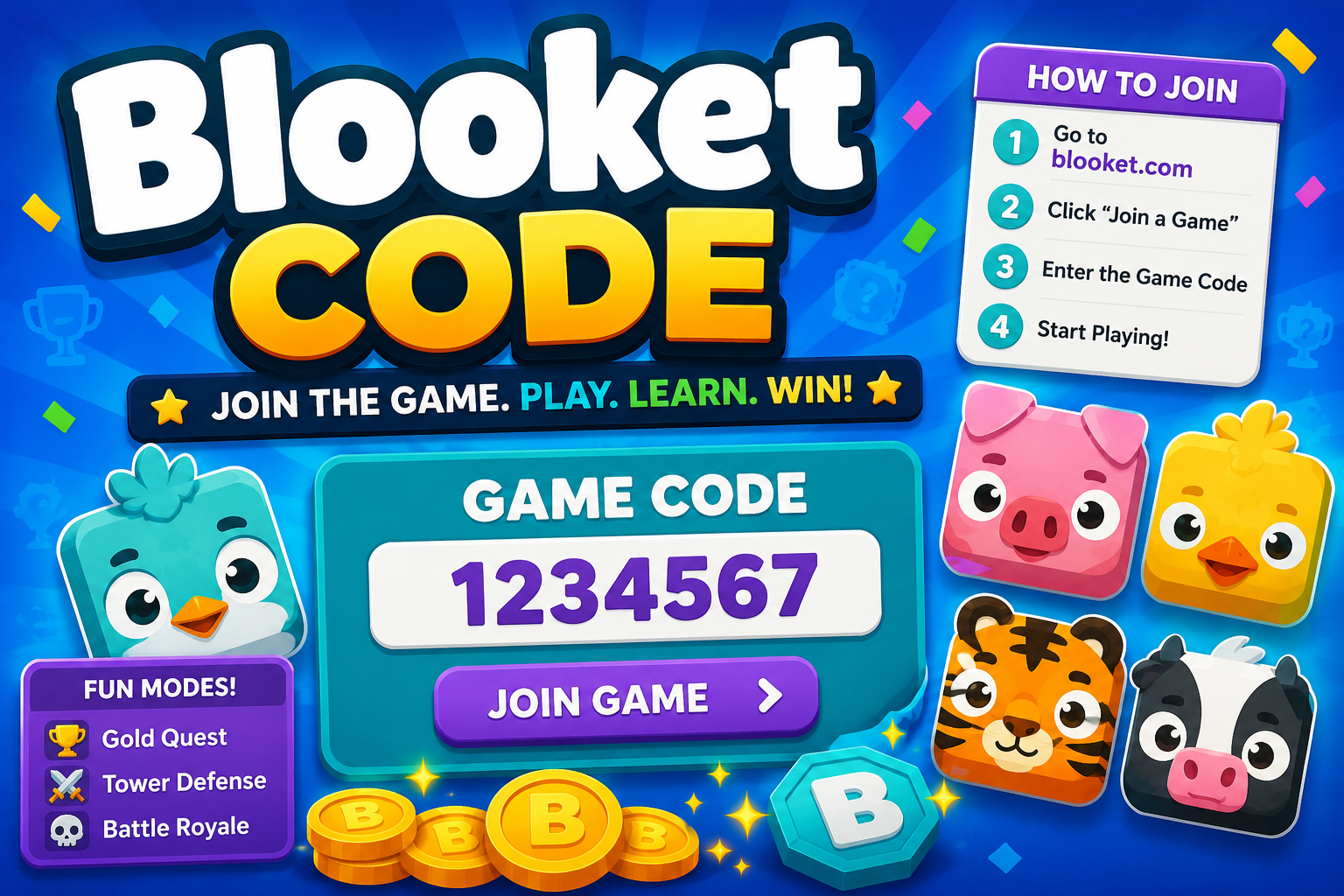
Creating a session begins inside a teacher account. After selecting a question set and choosing a game mode, the teacher clicks the button to host. The platform immediately displays the active code along with a QR option in many cases. Students can either type the characters or scan the QR code with a phone or tablet camera.
Best practice is to keep the code visible until every student has successfully joined. Some teachers also announce the code verbally two or three times. In larger classes or rooms with poor visibility, repeating the characters slowly prevents errors. Once the roster looks complete, the teacher can lock the game so late joiners cannot enter and disrupt the flow.
Teachers can also prepare sets in advance and launch them with a single click when class begins. The generated code appears instantly, making the transition from instruction to game almost seamless.
How Students Join Using the Code
Students open the Blooket Code site or app and look for the join option. They enter the characters exactly as shown—most codes are case-insensitive, but accuracy still matters. After submitting, they usually choose a nickname or avatar and wait in a lobby until the teacher starts the game.
Common early mistakes include typing the code into the wrong field, adding extra spaces, or mixing up similar-looking characters such as the letter O and the number 0. Taking an extra second to double-check before hitting enter saves time for everyone.
Once inside, students see the game mode rules and any special instructions the teacher has set. From that point the experience is interactive: answering questions correctly earns progress, power-ups, or in-game currency depending on the chosen mode.
Different Contexts in Which People Search for Codes
Most legitimate searches relate to joining a live classroom game. Teachers share the code at the start of class, and students need it immediately. Parents helping younger children at home may also look up how the process works.
A second category of searches involves curiosity about free rewards, character unlocks, or other in-game items. Blooket Code does not regularly distribute public promotional codes the way some commercial games do. Any claims of permanent free currency codes or unlimited unlocks circulating online should be treated with caution. The platform’s intended progression comes from playing games and earning rewards through normal participation.
Understanding the difference between a temporary join code and rumored reward codes prevents confusion and wasted effort.
Common Problems and How to Solve Them
Even simple systems produce occasional friction. Here are frequent issues and practical solutions:
Code not working. The most common reason is that the teacher has already ended the session or locked the lobby. Students should check with the teacher rather than repeatedly trying the same characters. Refreshing the page and re-entering sometimes helps if a temporary connection glitch occurred.
Students stuck on the join screen. Browser cache or an outdated tab can interfere. Closing the tab completely and opening a fresh one often resolves the problem. Switching from a school-managed browser to another supported browser can also help in restricted network environments.
QR code will not scan. Lighting, camera quality, or screen glare can prevent successful scans. In those cases the typed version of the code is the reliable backup. Teachers who anticipate this issue can display both the QR and the text version side by side.
Late arrivals. Once a game is locked, new students cannot join. Teachers who expect stragglers sometimes leave the lobby open a few extra minutes or run a short practice round first. Clear classroom routines about arriving ready to join reduce this issue over time.
Device compatibility. Most modern browsers and the official app work well. Older tablets or heavily restricted school devices occasionally need a simple update or permission adjustment. Testing a device with a practice set before the first real game catches problems early.
Best Practices for Smooth Classroom Use
Successful sessions share several habits:
- Display the code large and clearly for the entire join period.
- Give students a consistent routine: open the site, enter the code, choose a nickname, and wait quietly.
- Start with a short practice question or low-stakes round so everyone can confirm they are connected.
- Keep a backup plan ready—an offline activity or a different digital tool—in case of major technical trouble.
- After the game, briefly discuss both the content and the gameplay so students connect the fun experience to the learning goal.
Teachers who treat the code entry process as a quick, practiced routine find that games begin faster and with less frustration.
Safety, Privacy, and Appropriate Use
Join codes are public within the classroom but should not be posted on public social media or shared outside the intended group. A code that is widely distributed could allow unexpected participants to enter. Most teachers simply erase the board or close the projection once everyone is in.
Students should use school-appropriate nicknames. Many teachers set clear expectations about language and avatar choices before the first game. The platform provides moderation tools, and teachers can remove participants if needed.
No one should be asked to download unofficial extensions or enter personal information beyond the normal join process. Legitimate participation requires only the code and a device with internet access.
The Educational Value Behind the Simple Code
The code itself is only a door. What matters is what happens after students walk through it. Well-designed question sets reinforce vocabulary, math facts, science concepts, or historical details. Game modes add motivation by giving immediate feedback and a sense of progress. When the content is strong and the classroom culture supports fair play, the experience becomes an effective review tool rather than just entertainment.
Teachers who align question sets with current learning objectives see the greatest benefit. A code that launches a game reviewing last week’s material helps solidify knowledge. A code that launches unrelated trivia may entertain but contributes less to academic growth.
Supporting Different Learners
Not every student thrives under the same competitive pressure. Some prefer quieter modes or team-based formats. Others need extra time to read questions. Thoughtful teachers adjust the code-generated session to match the group: choosing slower-paced modes, allowing collaboration, or running the same set more than once so students can improve their personal best.
The flexibility of the platform means the same code entry process can lead to very different experiences depending on the teacher’s choices. That adaptability is one of the reasons the system remains popular across grade levels and subjects.
Preparing Students for Independence
Over time, many classes develop smooth routines around joining. Students learn to listen for the code, enter it accurately, and settle into the lobby without constant reminders. This small independence frees the teacher to focus on content and classroom management rather than technical troubleshooting.
Parents supporting remote or hybrid learning can practice the join process at home with sample sets. Familiarity reduces anxiety when the real classroom code appears.
Looking Ahead: Evolving Classroom Tools
Educational platforms continue to refine how students enter activities. Future updates may expand QR options, add class roster integration, or simplify joining on managed devices. The core idea—an easy shared code that gathers a group into one interactive space—remains powerful because it is simple and reliable.
Teachers who master the current process will adapt easily to improvements. The fundamental skills of clear communication, practiced routines, and purposeful content selection transfer across any technical changes.
FAQs
How long does a typical code stay active?
A code works only while the teacher keeps the session open. Once the game ends or the host closes the lobby, the code becomes invalid. New sessions receive new codes.
Can the same code be reused later?
No. Each live game generates a fresh identifier. Teachers who want to run the same question set again simply host a new session and receive a new code.
What should students do if they miss the code?
Ask the teacher directly. Most teachers are happy to repeat or redisplay it during the join window. Students should avoid guessing random combinations.
Are there public lists of working codes for free rewards?
Blooket Code does not maintain public lists of permanent free reward codes the way some commercial games do. Claims found online should be treated skeptically. Normal play is the intended way to earn in-game progress.
Can a code be used on multiple devices by the same student?
Each student typically joins once per session. Attempting to join multiple times with different nicknames can confuse the roster and is usually unnecessary.
What if the code contains characters that look similar?
Teachers can spell the code aloud, distinguishing letters from numbers. Students who are unsure should ask for clarification rather than guessing.
Is a special account required to join with a code?
Students can usually join live games without creating a full account, although some features or saved progress may require one. The teacher’s instructions will clarify what is needed for that session.
Conclusion
The blooket code is a small but essential piece of a larger learning experience. When teachers generate and share it clearly, and when students enter it accurately, the classroom moves quickly from instruction into active practice. The process works best inside a culture of clear routines, appropriate expectations, and purposeful content.
Mastering the simple steps of creating, displaying, and joining with a code removes technical friction and lets everyone focus on the real goal: stronger understanding of the material. Students who become comfortable with the process gain confidence and independence. Teachers who refine their hosting habits save time and reduce stress.
In the end, the code itself is only the entry point. What students do after they join—thinking carefully, answering thoughtfully, and learning from both success and mistakes—determines the value of the entire activity. Approached with preparation and fairness, every session that begins with a shared code can become a productive and enjoyable part of the school day.